Home Status
What happened in your home, in plain words.
Coming to the App Store for iPhone.
Home Status is an iPhone app for Home Assistant. Open it in the morning and it tells you which rooms needed heat overnight, when the lights went out, who came and went, and what dropped offline. Tap any bar to see when, and why.
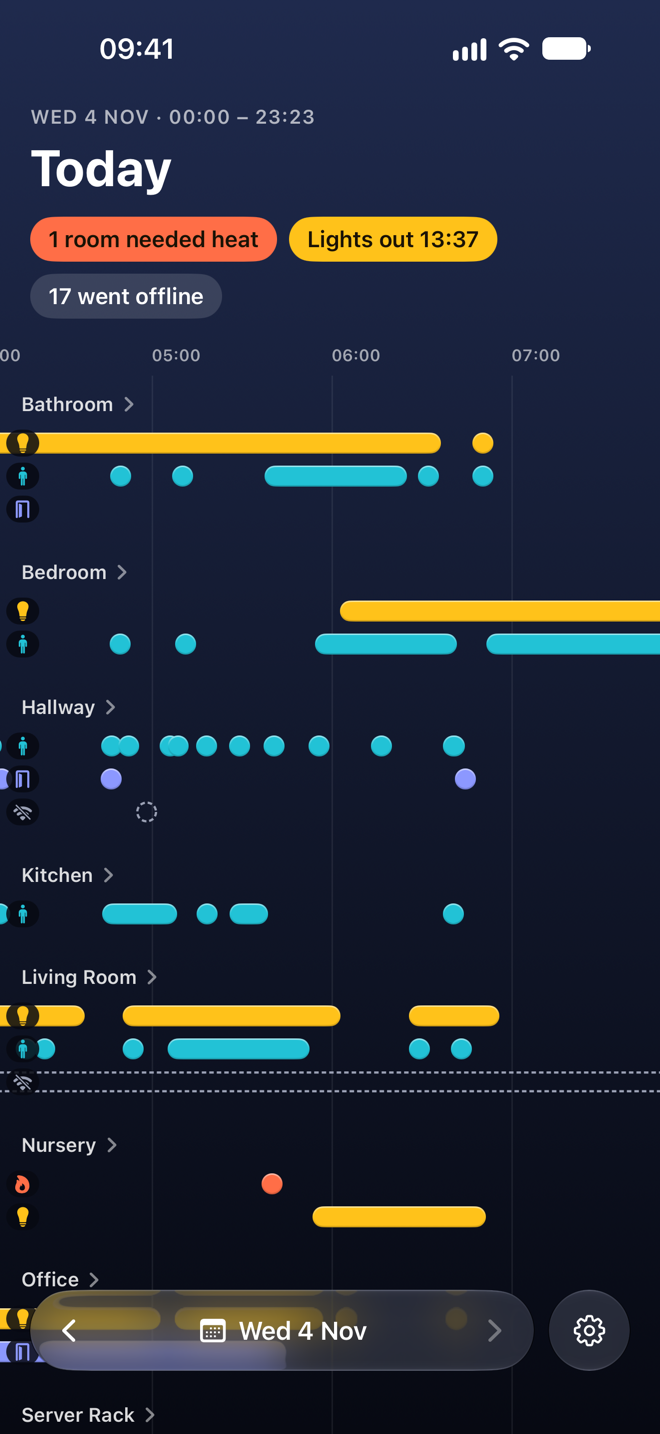
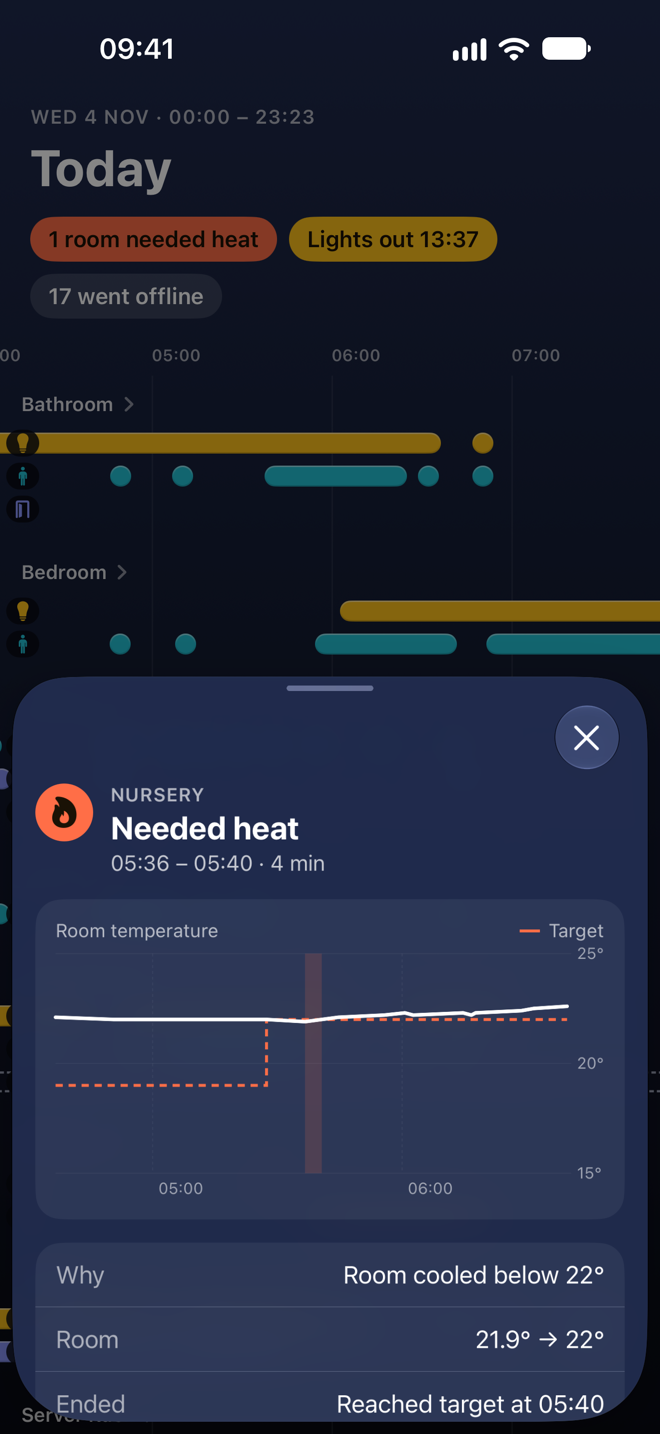
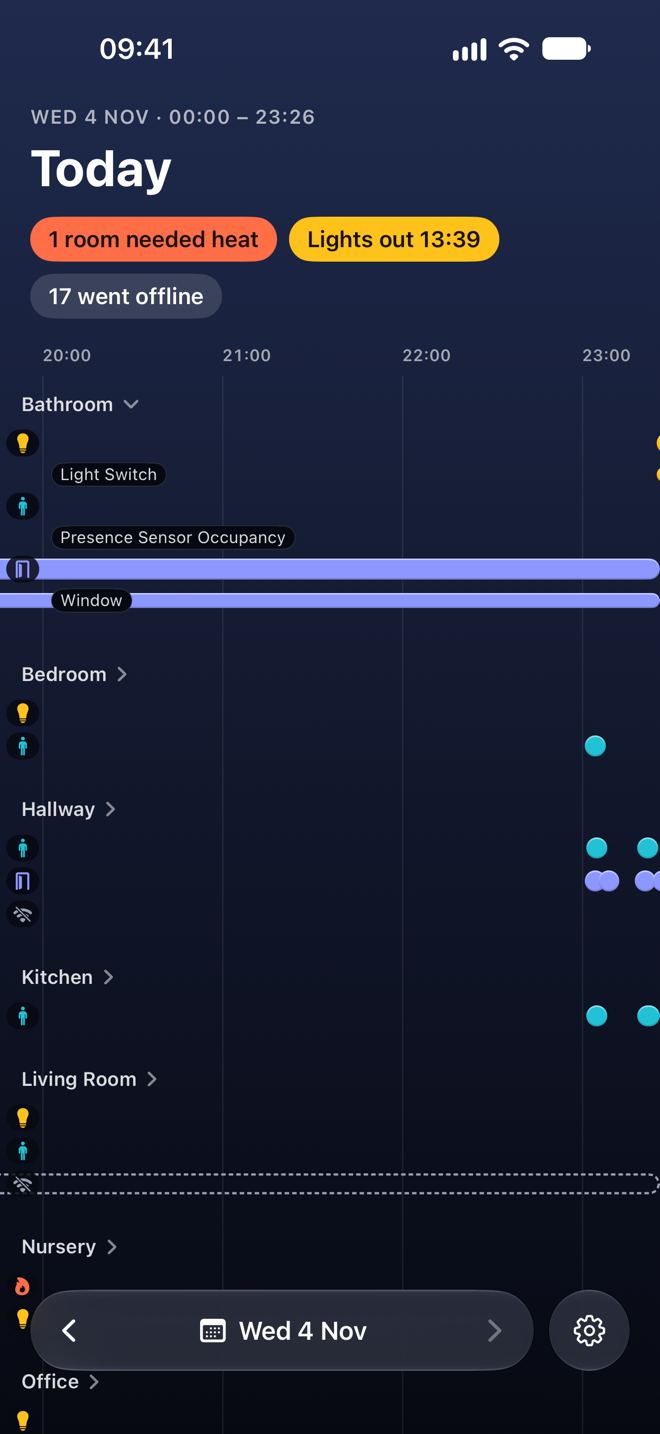
- Which rooms needed heat, and whether they reached their target
- When the last light went out
- Who was where, from your motion and presence sensors
- Doors and windows, and devices that dropped offline
The logbook, answered
Home Assistant's logbook records everything, one line at a time. Home Status reads those lines and answers the question you actually had.
05:20 Nursery Thermostat changed to Heat
05:20 Nursery Thermostat target set to 22°
05:24 Nursery Thermostat changed to Heat
Nursery needed heat 05:20 – 05:24
Why: room cooled below 22°
Room: 21.9° → 22°
Ended: reached target at 05:24
Heating you can trust
Home Assistant can see a thermostat's target and the room's temperature, but usually not the boiler or the valves. So Home Status shows when a room needed heat: a thermostat in heat mode with the room below its target. Each episode says what started it, the temperature at the start and the end, and how it ended. Nothing is guessed.
Sign in, not tokens
Home Status finds your Home Assistant on your network, or takes the address you already use. Then you sign in on Home Assistant's own login page. The app never sees your password, and you can end its access any time from your profile in Home Assistant.
Private by design
It only reads. Home Status never changes anything in your home, has no servers of its own, and talks only to your Home Assistant. Nothing goes anywhere else. Read the privacy policy.
You'll need
An iPhone on iOS 27 and a Home Assistant server your phone can reach: on your home network, through Home Assistant Cloud, or through your own remote access.
Questions
- Does it control anything?
- No. Home Status only reads your logbook and history. It has no buttons for your devices and sends no commands.
- Does it work away from home?
- Yes, if your server can be reached from outside: Home Assistant Cloud, or an external address set in Home Assistant under Settings → System → Network. The app learns those addresses when you sign in and tries them when the home one doesn't answer.
- How far back can I look?
- As far as your server keeps history. Home Assistant keeps 10 days unless you've changed the recorder's
purge_keep_days. - Why does it need my login if it only reads?
- Home Assistant has no read-only logins, so the app signs in like any other client. Give it its own non-admin user if you'd rather, and revoke it any time from your profile under Security.
- Which thermostats count?
- Any climate device in Home Assistant that is in heat mode with a target temperature. A room "needed heat" while it was below that target.
- Is it open source? Android? iPad?
- Not yet, no, and no. It's an iPhone app by one person. Ask on the support page and you'll get a straight answer.